Every session, every tool call, fully searchable.
Browse transcripts from ~/.claude, ~/.codex and ~/.gemini grouped by working directory. Full-text search across the entire archive, with tool calls classified, color-coded and easy to read.
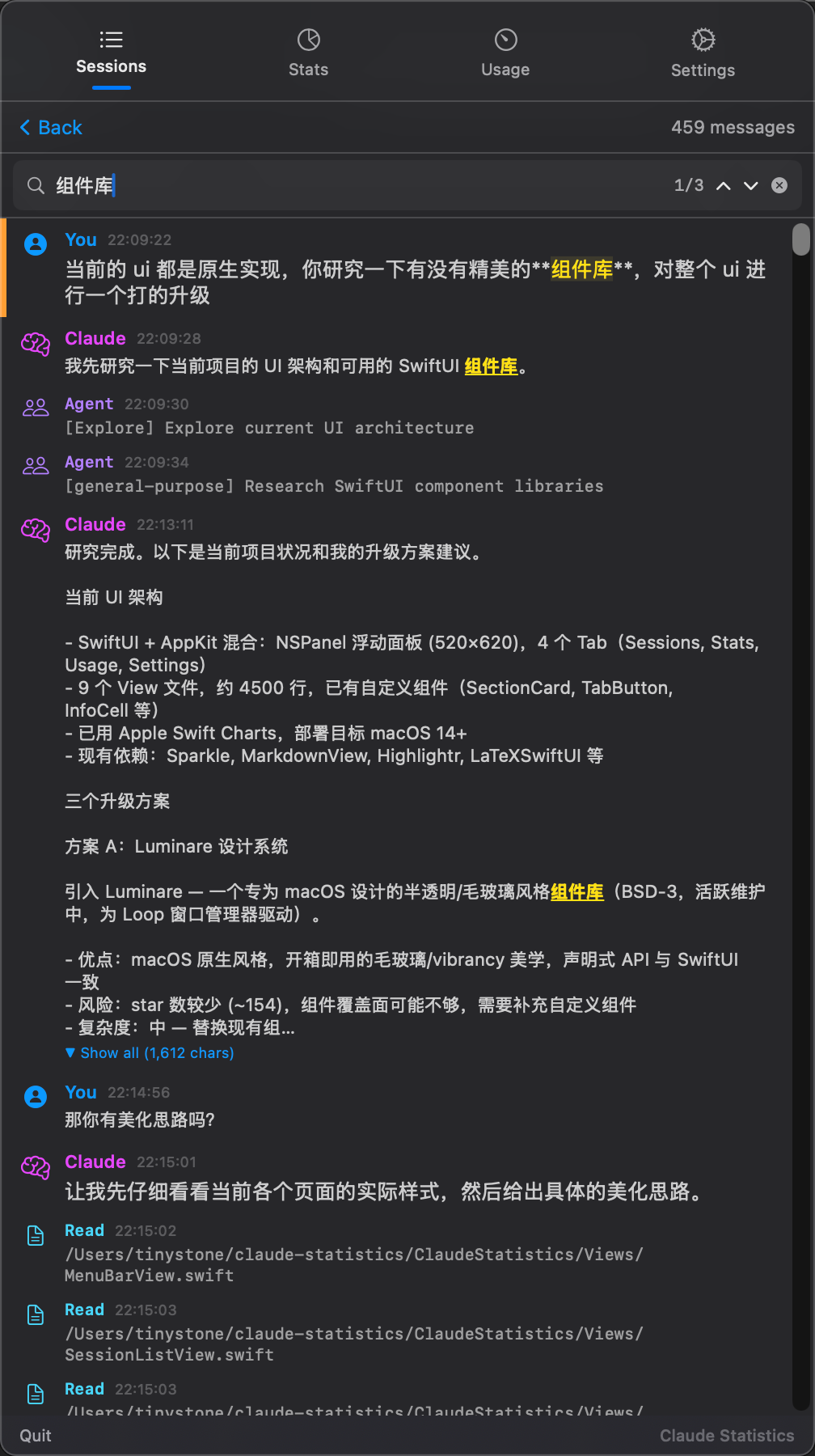
Project-folded session list
Sessions are grouped by working directory. Hover for resume, copy path, delete, batch delete. Live file watching where the provider format allows it.
Tool-aware transcript viewer
User, assistant and each tool call get distinct colors. Markdown renders, code blocks highlight, and you can navigate match-by-match without losing scroll position.
Whole-archive search
⌘F searches the full body of every transcript across providers using SQLite FTS. Results show project, time and the exact snippet that matched.
How it works
Claude Statistics indexes transcript files locally — no upload, no remote service. The file watcher refreshes the index as new turns are appended.
- 01 Local discovery On launch, the app walks ~/.claude, ~/.codex and ~/.gemini, then keeps watching them via FSEvents.
- 02 JSONL parsing Each turn is parsed once and cached. Codex's WAL/SHM sidecar files are reconciled before parsing so live sessions stay readable.
- 03 FTS index Snippet matching uses SQLite FTS5. Queries return ranked hits across every provider in a single pass.
Where it shines
-
✦
Find the prompt you used last month Search 'pricing migration' and Claude Statistics will surface every project where that thread happened, with timestamp and matching context.
-
✦
Audit which tool ran when Tool-aware coloring makes it obvious whether a fix went through Edit, Bash, MultiEdit or apply_patch — across all three CLIs.